
READ
A short book on a computing topic, drawn from the Payil Computing lessons, with questions after it.

Computational thinking and AI for modern classrooms. Levels 1 to 9.
Available nowSix activities a session, ten skills tracked. Levels 1 to 9.
NewThe computational thinking and AI Olympiad. One hour, on screen, instant results.
Coming soonRobotics hardware training. Build it in simulation, then run it on a real kit.
Coming soonPayil books and Thambaa Labs as one syllabus, for schools across India.
For Tamil Sangams, weekend schools and international schools abroad.
Level 13 in five streams, and a Centre of Excellence on your campus.
One year of Tamil for one learner, at their own pace, anywhere.
One partner per district in India, one per country internationally.
A computing lab for Levels 1 to 9. In every session a child reads, solves, builds, practises, listens and creates, and the progress card shows exactly where they are growing.
Individual learners from 1 November 2026 · Schools from April 2027 · Levels 1 to 9
On the left, today's six activities. On the right, the one in front of the child, timed and scored. Nothing to set up, nothing to explain twice.
Thambaa Computing Lab installs with the same app as Thambaa Tamil Lab. They are two separate products: a learner signs in to whichever their school or family has chosen.
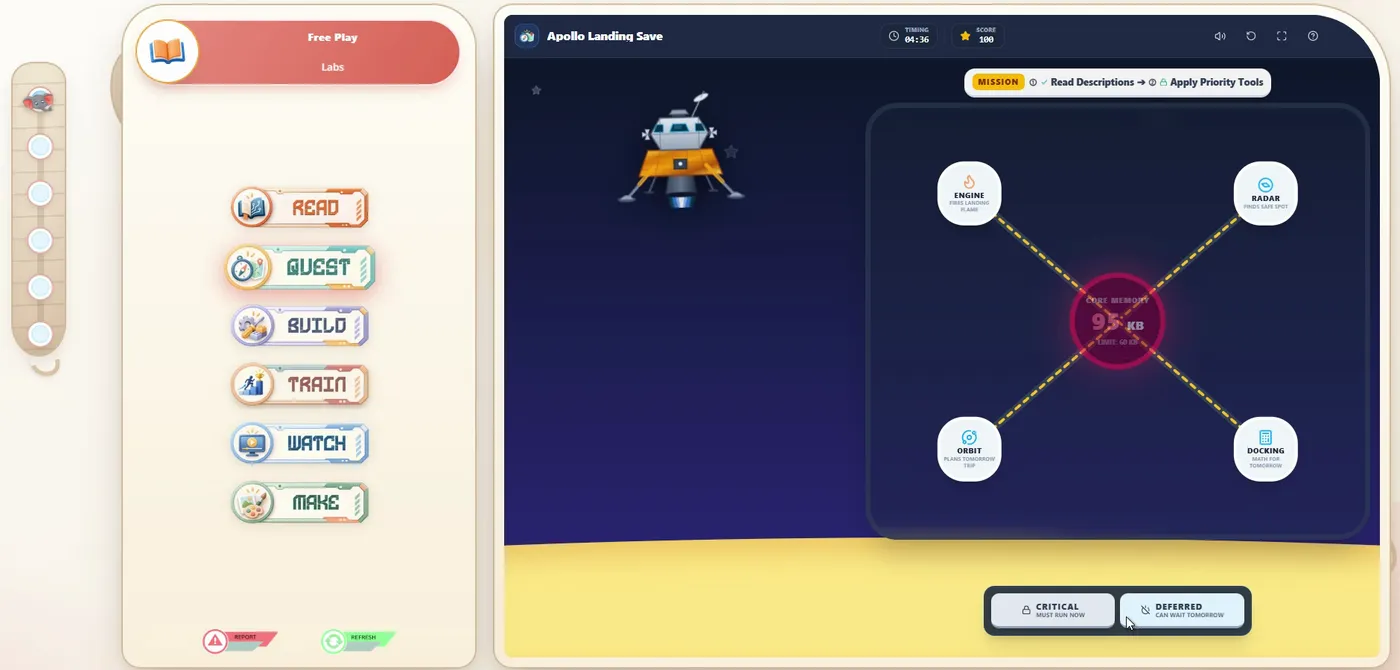
One idea, met six different ways. A child who did not get it from the book gets it from the game, and keeps it by practising.
A short book on a computing topic, drawn from the Payil Computing lessons, with questions after it.

A game built around one concept. Land Apollo safely by deciding which jobs the computer must run first.

Put something together. Route a web request from a laptop, through a router and an internet provider, to a server.

Practise until it sticks. Point, double-click, right-click, until the hand knows it without thinking.

Listen and learn. Podcast episodes on digital citizenship today, with short lectures and computing news to follow.

Create something inside the concept. Six missions under the sea, and a robot to choose for each one.
A session is one lab period. The six activities come in a fixed order, there is no skipping back, and every one ends with questions that count towards the report.
READa bookQUESTa conceptBUILDa thingTRAINa skillWATCHan episodeMAKEa creationThe next session opens 15 hours after the last, so learning comes in steady daily steps rather than one long binge.
Complete all 25 sessions of a level and the learner earns that level's certificate of completion.
Outside the session, Free Play opens everything at the learner's level to explore at their own pace. It is relaxed, and it is not scored.
Real recordings from the lab. Each one picks up a lesson from the Level 3 book and turns it into something to do.
Every activity counts towards exactly one vertical. The progress card fills a test tube for each, so a child who is strong in coding but new to security can see both at a glance.
How much of a vertical the learner has covered so far.
How well they did in it, from the questions after every activity.
The average across the verticals the learner has started, so a new learner is never marked down for what they have not reached yet.
Every class a teacher handles in one place, with class-wise and student-wise reports and the verticals each class is strong or weak in.
Ten test tubes, an overall score and the learner's level and session, downloadable as a PDF for parents.
Balls, sugarcanes and pearls, collected for correct answers, to keep a learner coming back session after session.
 Balls
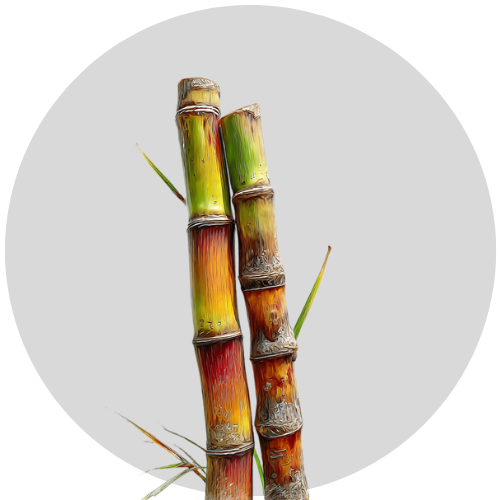 Sugarcanes
 Pearls
The lab's levels match the nine Payil Computing Books one to one. The READ shelf carries short digital versions of chosen lessons, and the activities pick up the same ideas.
The books and the lab are sold separately and each works on its own. Together, the book is the lesson and the lab is the practice.
Now the job is to make the best possible use of them. A child who can only consume technology is at its mercy. A child who understands how it is built is not.
No long videos, no endless tasks. Every few minutes the activity changes, from reading to solving, building, practising, listening and creating, so a child's attention is held rather than tested.
For one learner
₹10,000 per level, per year
Thambaa Computing Lab for an individual learner, at their own pace. Opens 1 November 2026.
For your school
Bulk pricing
A lab for every child, with teacher dashboards and support. Schools receive a bulk discount. Full version from April 2027; test access available now.
With the books
₹600–700 per book
Payil Computing Books, Levels 1 to 9. Order them with the lab or on their own.
 Jointly Accredited by AIAASC + NCPSA
Tell us who you are and what you need. We will set up a demo, send samples, or let you know the day individual access opens.