Help guide
Registering, logging in, scanning, playing audio and video, and downloading — with screenshots of every step.
Open the help guide
LKG to Grade 5, with Grade 6 in production. Built on stroke-order research.
Computational thinking and AI for modern classrooms. Levels 1 to 9.
Available nowRecorded lectures, skill development courses and workshops.
Coming soonScan the QR on any lesson page and its digital content opens. Free with every book.
Level 0 to Level 13, six modules, 1.3 million activities.
Coding, computing activities and digital citizenship. Levels 1 to 9.
Coming soonOne year of unlimited Tamil for an individual learner, at their own pace.
The roll of honour: students, teachers and schools of the year.
One installer for Tamil Labs and Computing Labs. Windows, macOS or Linux.
Payil books and Thambaa Labs as one syllabus, for schools across India.
For Tamil Sangams, weekend schools and international schools abroad.
Level 13 in five streams, and a Centre of Excellence on your campus.
One year of Tamil for one learner, at their own pace, anywhere.
One partner per district in India, one per country internationally.
Every lesson in every Payil book carries a QR code on its title page. Point the Payil QR app at it and the digital content for that exact lesson opens — the song, the video, the teaching notes, the answer key. No searching, no logins per lesson, no hunting through a portal for the right file.
Free with every Payil book · Payil Tamil and Payil Computing · K to 12
A teacher or parent registers a single time. After that, opening a lesson's digital content takes about four seconds.
A teacher or a parent signs in with Google or Apple, enters their name, email and phone, and the School Code their school was issued. Children never register — the account belongs to the adult.
Turn to any lesson in a Payil Tamil or Payil Computing book. The QR code sits on the lesson title page. Tap the scanner and hold the phone about 15 cm from the page.
The app lands on that lesson's content page. Whatever exists for the lesson is there — and only what exists, so nobody is clicking through empty tabs.
The scan is automatic — there is no shutter button to press, which matters when a teacher is holding a book in one hand and a phone in the other. Presentations, notes, question banks and flip books download for offline use, so a lab with unreliable Wi-Fi is not a lost period.
Songs, audio books and video stream inside the app and need a connection.
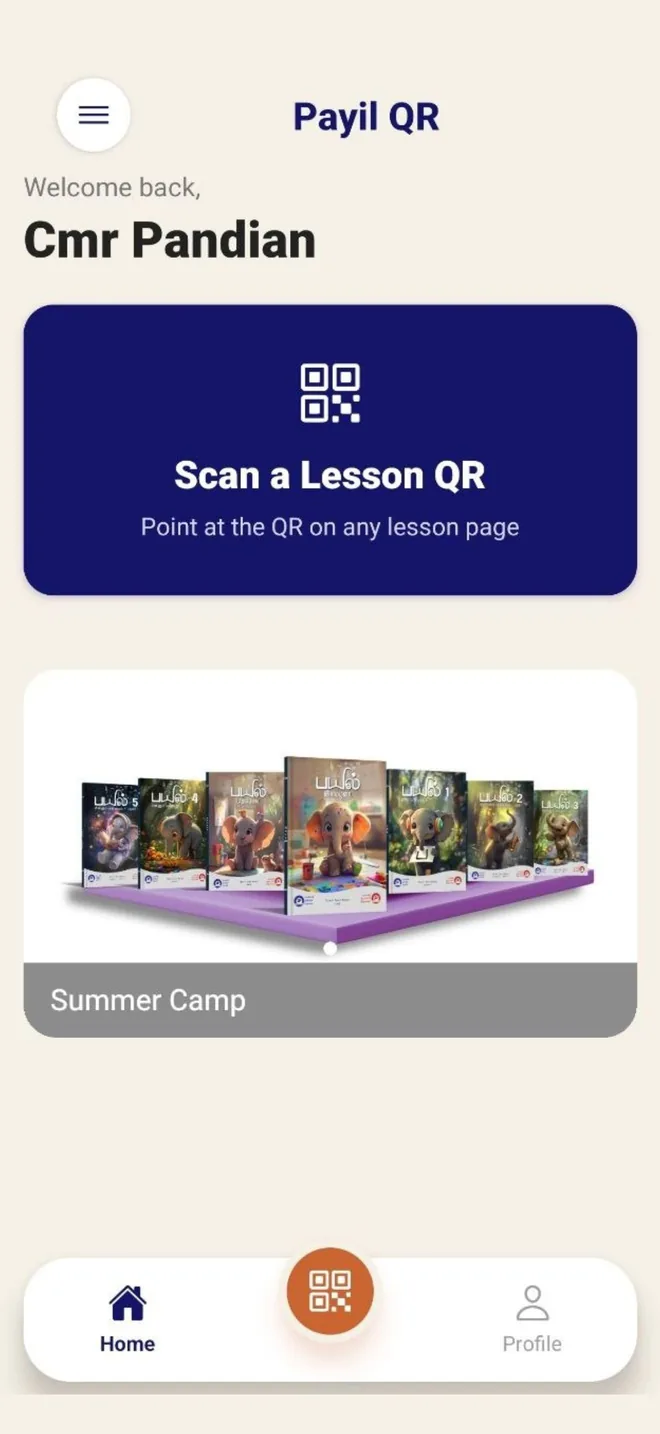
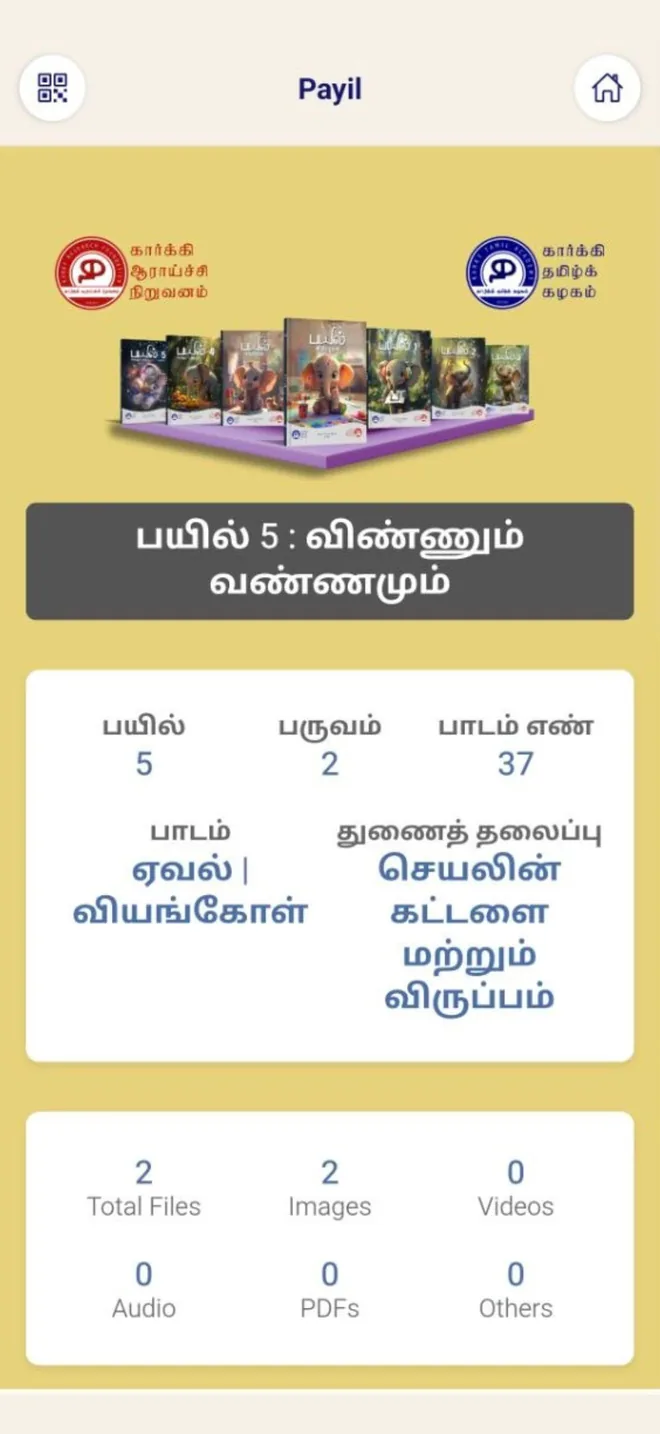
Not a general library. Everything behind a QR code belongs to the lesson printed on that page, which is why teachers actually use it mid-class.
What the lesson should achieve, and how to run it.
The lesson's song, played in the app.
Lesson video, landscape for the whole class.
The lesson read aloud, for listening practice.
Classroom slides, downloadable.
Summary and key points, downloadable.
Questions with answer keys, downloadable.
Supplementary flip books for extended reading.
Content varies by lesson. The app shows only what exists for the lesson you scanned.
Payil QR is used by children in classrooms and at home, so we designed it to hold as little as possible about anyone.
Karky Tamil Academy · Education · Free
Free to download. Free to use. The School Code your school was issued is what unlocks the content — there is nothing to buy inside the app.
iPhone and iPad, and Android phones and tablets. Ask your school office for the School Code before you register.
Registering, logging in, scanning, playing audio and video, and downloading — with screenshots of every step.
Open the help guideWhat we collect, why, how long we keep it, and how to delete your account and everything in it.
Read the policyContent ownership, what may and may not be shared, and how School Codes are meant to be used.
Read the termsApp support: raj@karky.in — please include your registered email address and your school name.
Payil QR exists to make Payil books do more in the classroom. Tell us your school and the grades you teach, and we will send samples and a quote.